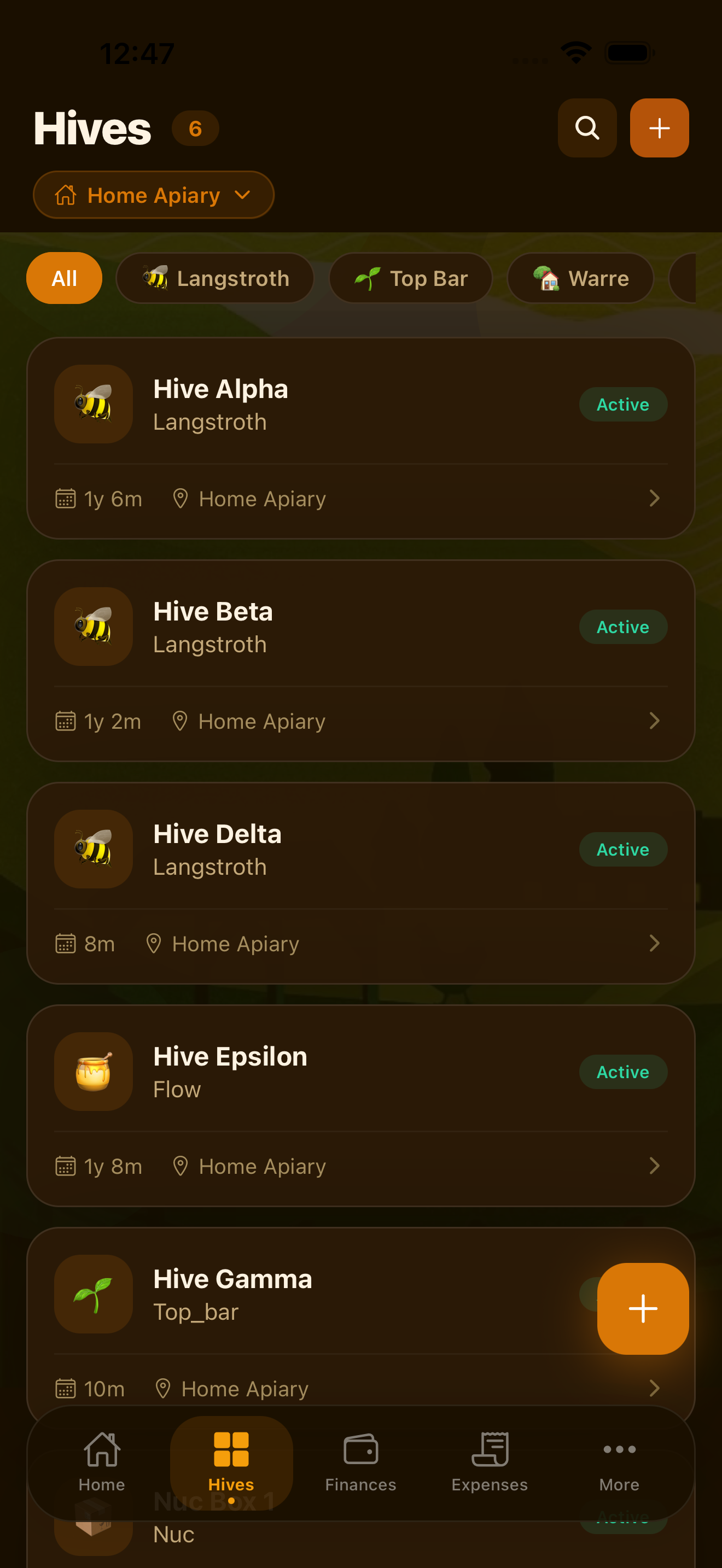
The Hives tab is your central view of every colony in your current apiary. You can add hives, track their status, record key details, and navigate to each hive's full history — inspections, treatments, harvests, and queen records — all in one place.
Adding a Hive
To add a hive, tap the + button on the Hives tab. You will be prompted to enter:
- Hive name — a label to identify the hive (e.g., "Hive 1", "North Garden", "Queen Bee")
- Hive type — the equipment type used
- Apiary — which location this hive belongs to
- Status — the current condition of the colony
- Notes — any additional notes you want to record
On the Free plan you can manage up to 5 hives. Upgrade to Pro or Premium for unlimited hives across unlimited apiaries.
Hive Types
HiveBook™ supports all common hive equipment types. Select the type that matches your hardware:
Choosing the correct hive type helps you track equipment-specific details and makes your records more meaningful over time.
Hive Status
Every hive has a status that reflects the current state of the colony. Keep status up to date so your dashboard and analytics stay accurate:
- Active — a living colony with normal management
- Dead — the colony has died; the hive remains in your records for historical tracking
- Sold — the colony or hive has been sold
- Combined — this colony has been merged with another hive
- Split — this colony was the source of a split and is now separate from a daughter colony
- Stored — the hive is empty and in storage
Hive Details and History
Tap any hive in your list to open its detail page. From here you can see and access everything related to that hive:
- Colony details: type, status, apiary location
- Queen information: breed, status, and age
- Inspection history: all logged inspections in chronological order
- Treatment history: every treatment applied with dates and withdrawal periods
- Harvest history: all harvests from this hive
- Varroa monitoring: mite count history and treatment thresholds
- Feed log: feeding events for this colony
Having all hive records in one place makes it easy to spot patterns and make informed management decisions.
Managing Multiple Apiaries
If you manage bees at multiple locations, HiveBook lets you organize hives by apiary. Each apiary is a separate location with its own set of hives, records, and finances.
To manage apiaries, go to More → Apiaries. You can add new locations, rename existing ones, and switch between them using the Apiary Switcher at the top of the More tab and Dashboard.
Multiple apiaries require a Pro or Premium subscription. On the Free plan, you can manage one apiary with up to 5 hives.
Track every hive, every colony
HiveBook is available on the App Store for iPhone, iPad, and Mac.
Download on the App Store