HiveBook™'s AI features are designed around a single principle: your apiary data stays on your device. Every AI tool in HiveBook runs using on-device machine learning — no data is ever uploaded to external AI servers. All AI features require a Premium subscription.
Accessing AI Tools Premium
All AI tools are grouped under More → AI Tools. The hub shows every available AI feature with a brief description. If you are not yet on a Premium plan, tapping any AI tool will show the upgrade prompt.
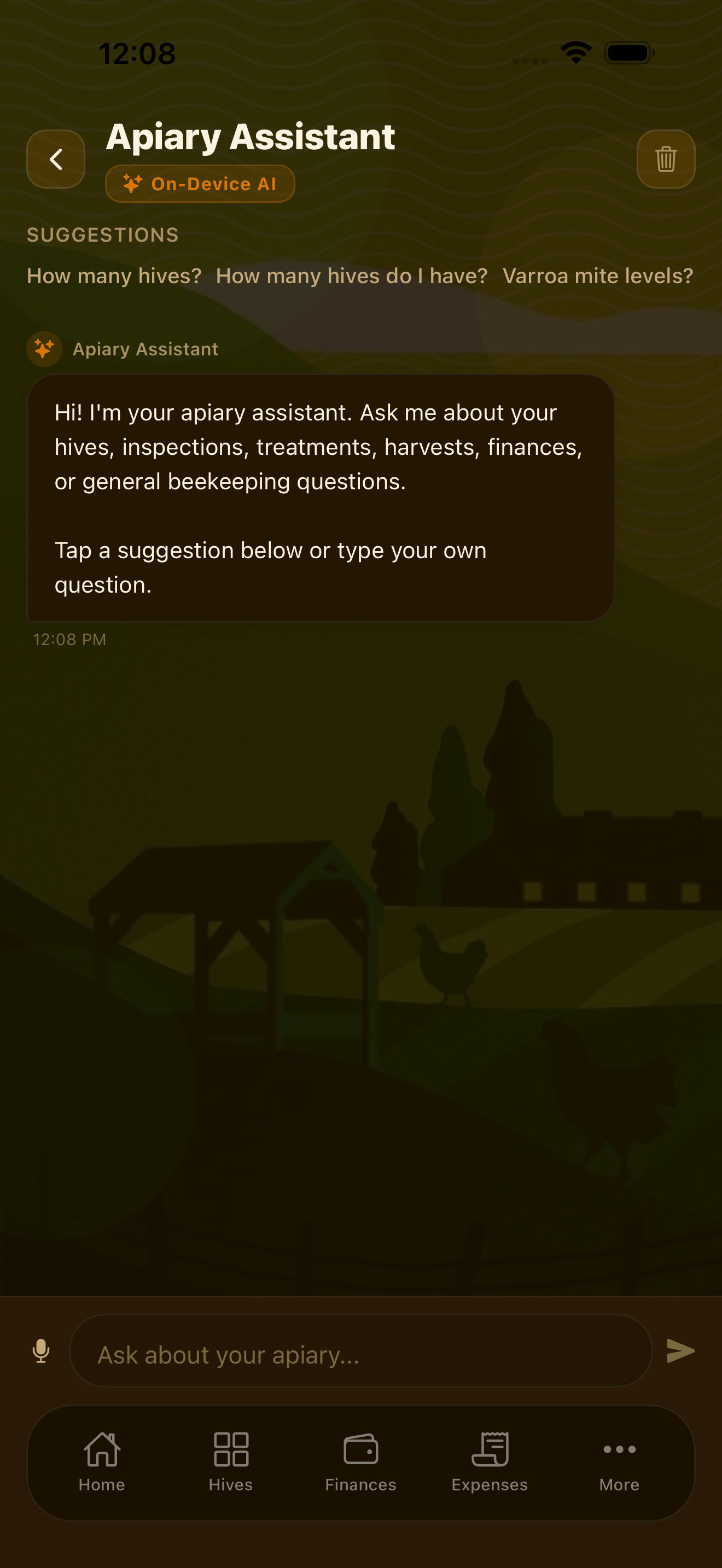
Apiary Assistant Premium
The Apiary Assistant is an AI chat interface that understands your hive records. You can ask it questions about beekeeping and colony management, and it responds with advice informed by your actual apiary data.
Example questions you can ask:
- "Which of my hives have not been inspected recently?"
- "What should I check for during a spring inspection?"
- "When should I treat Hive 3 for varroa based on my last count?"
- "What are signs of a failing queen?"
The assistant provides guidance based on both your specific records and general beekeeping knowledge. As with any AI tool, treat its suggestions as a starting point and apply your own judgment and local knowledge.
The Apiary Assistant runs entirely on your device using on-device AI. Your hive data, inspection records, and financial information are never sent to any external server.
AI Document Scanner Premium
The AI Document Scanner uses your device camera to photograph receipts, treatment invoices, lab reports, and certification documents. The AI reads the document and extracts key information — amount, date, vendor — to pre-fill expense or document records automatically.
Access it from More → AI Document Scanner or directly from the expense entry form. This is particularly useful after a supply run when you have multiple receipts to log.
AI Camera Premium
The AI Camera (More → AI Camera) uses your device camera to assist with in-hive observations. Point the camera at your frames and the AI can help identify brood pattern characteristics and flag potential pest concerns.
The AI Camera is a tool to support your inspections — not to replace your own assessment. Use it alongside your inspection log for additional context when something looks unusual.
Daily Briefing Premium
The Daily Briefing (More → Daily Briefing) generates a concise summary of your apiary status each day. It surfaces:
- Hives that are overdue for an inspection
- Upcoming tasks and reminders
- Treatment withdrawal periods ending soon
- Any colony health concerns flagged since your last briefing
The Daily Briefing is generated on your device each morning so you can start the day with a clear picture of what needs attention.
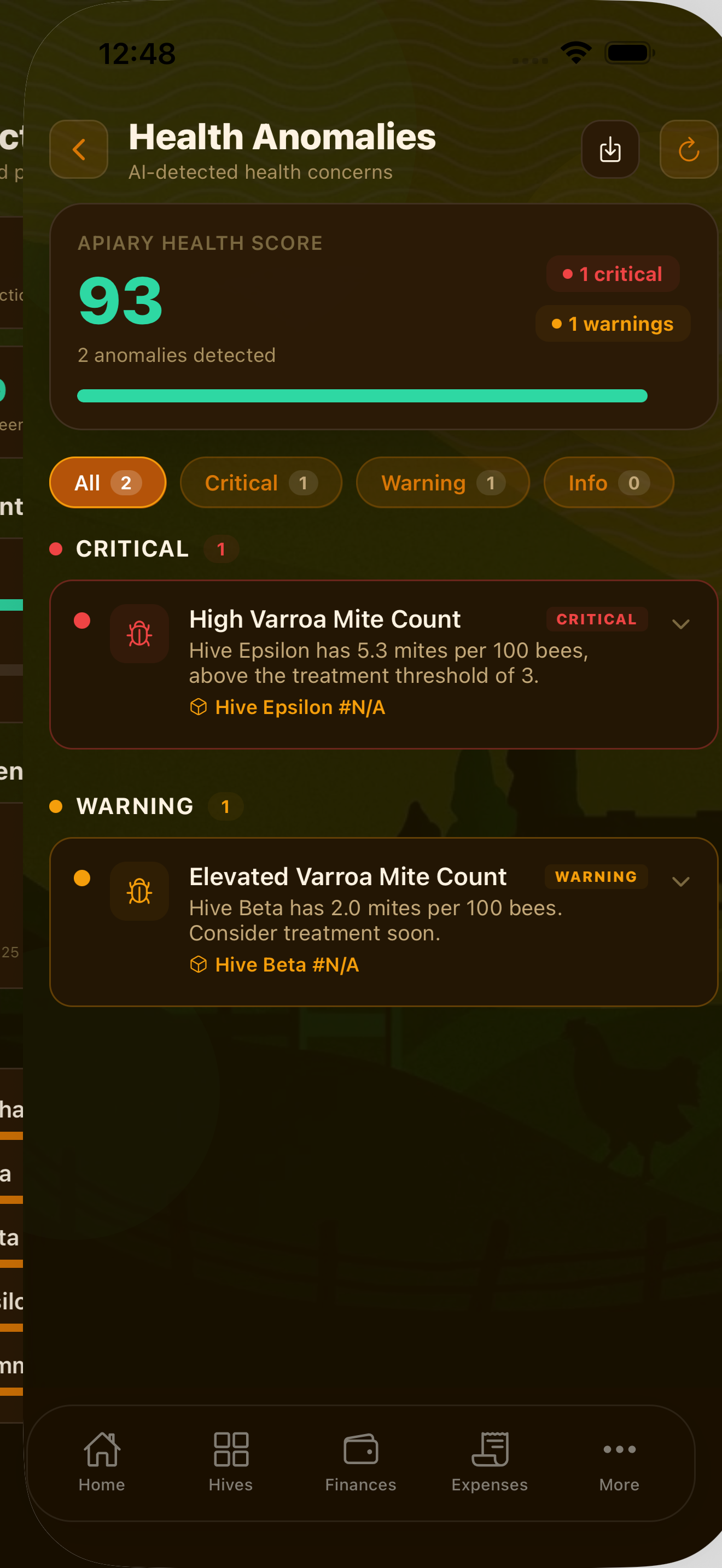
Colony Health Alerts Premium
Colony Health Alerts (More → Colony Health Alerts) continuously analyzes your inspection and varroa monitoring records to detect anomalies that might indicate a health problem. When the AI notices an unusual pattern — a sudden drop in colony strength, a spike in mite counts, or an inspection finding that suggests disease — it generates an alert so you can investigate.
Health alerts are advisory in nature. You are responsible for investigating any flagged concern and making management decisions based on your own on-site assessment.
Financial AI Premium
Financial AI (More → Financial AI) analyzes your expense and revenue records to provide per-hive profitability analysis and cost insights:
- Which hives are generating the most revenue relative to their management costs
- Unusual expense patterns that may indicate an anomaly worth reviewing
- Per-hive cost of production compared to harvest yield
This helps you make data-driven decisions about where to focus your investment and which colonies are most productive for your operation.
All AI features in HiveBook run on-device using Apple's Core ML framework. No prompts, hive data, or financial records are sent to any external AI service. Your data stays on your device.
AI that knows your hives
HiveBook is available on the App Store for iPhone, iPad, and Mac.
Download on the App Store