HiveBook™ is a beekeeping management app designed to work entirely on your device — no internet required. This guide walks you through the first launch, setting up your profile and apiary, and learning how to navigate the app.
First Launch and Profile Setup
When you open HiveBook for the first time, a local profile is created automatically on your device. No account or sign-up is required. To set up your profile and apiary name, tap the More tab, then tap your name at the top of the screen to open your profile.
From your profile you can set your name and apiary name. Your apiary name appears throughout the app as context for which operation you are managing.
HiveBook stores all data locally on your device. Nothing is uploaded to any server. Optional iCloud backup keeps your data safe across devices using Apple's own infrastructure.
The Dashboard
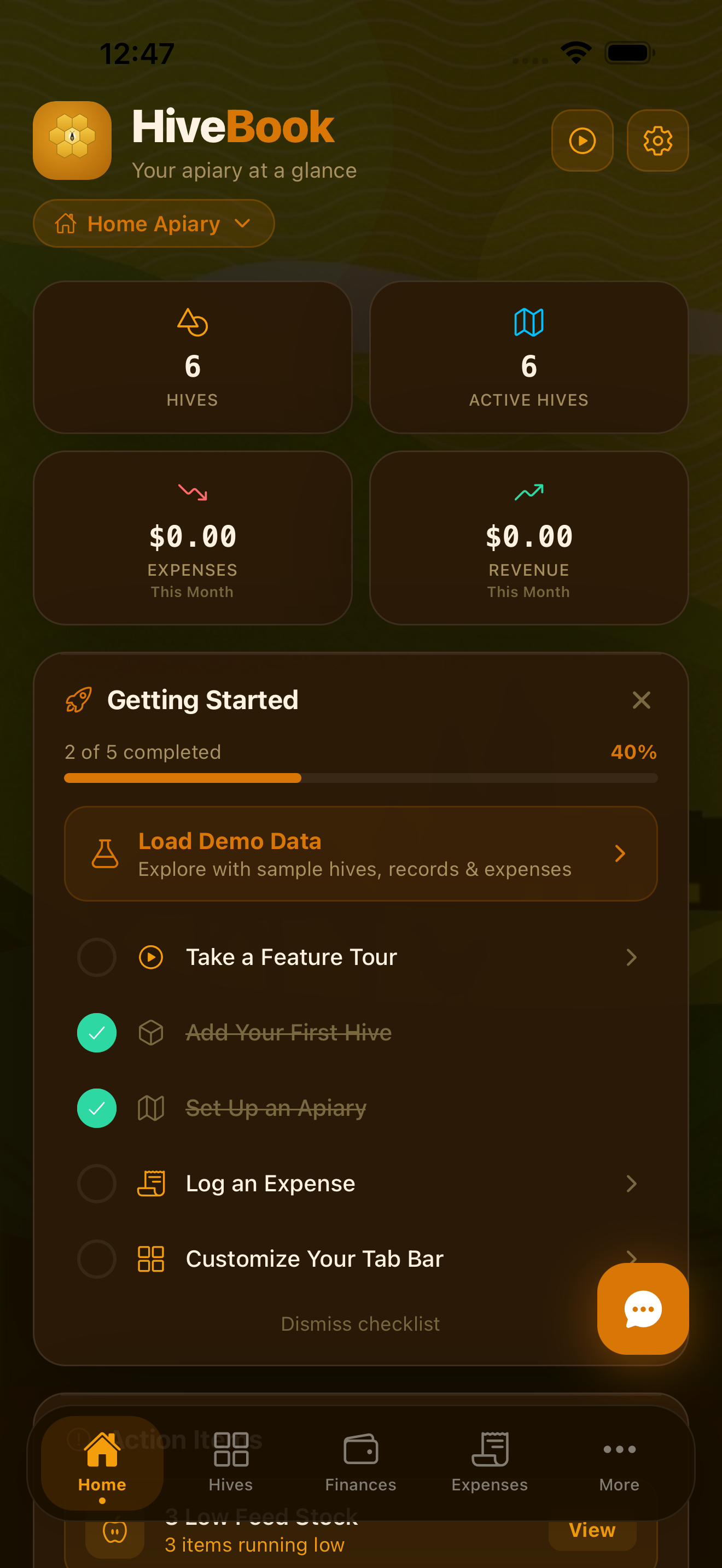
The Dashboard is your apiary command center. It shows you a high-level summary of your entire operation at a glance:
- Hive count — how many active hives you have across your current apiary
- Recent inspections — the last inspections logged and their findings
- Harvest summary — recent harvest activity
- Action items — tasks and reminders that need your attention
The Dashboard also includes the Apiary Switcher, which lets you switch between apiaries if you manage more than one location.
Multi-Apiary Support
HiveBook supports multiple apiaries in a single app. Each apiary has its own hives, inspection records, harvests, treatments, and finances. On the Free plan you are limited to one apiary. Upgrading to Pro or Premium unlocks unlimited apiaries.
You can switch between apiaries using the Apiary Switcher at the top of the More tab and Dashboard. To add a new apiary, go to More → Apiaries.
Tab Bar Navigation
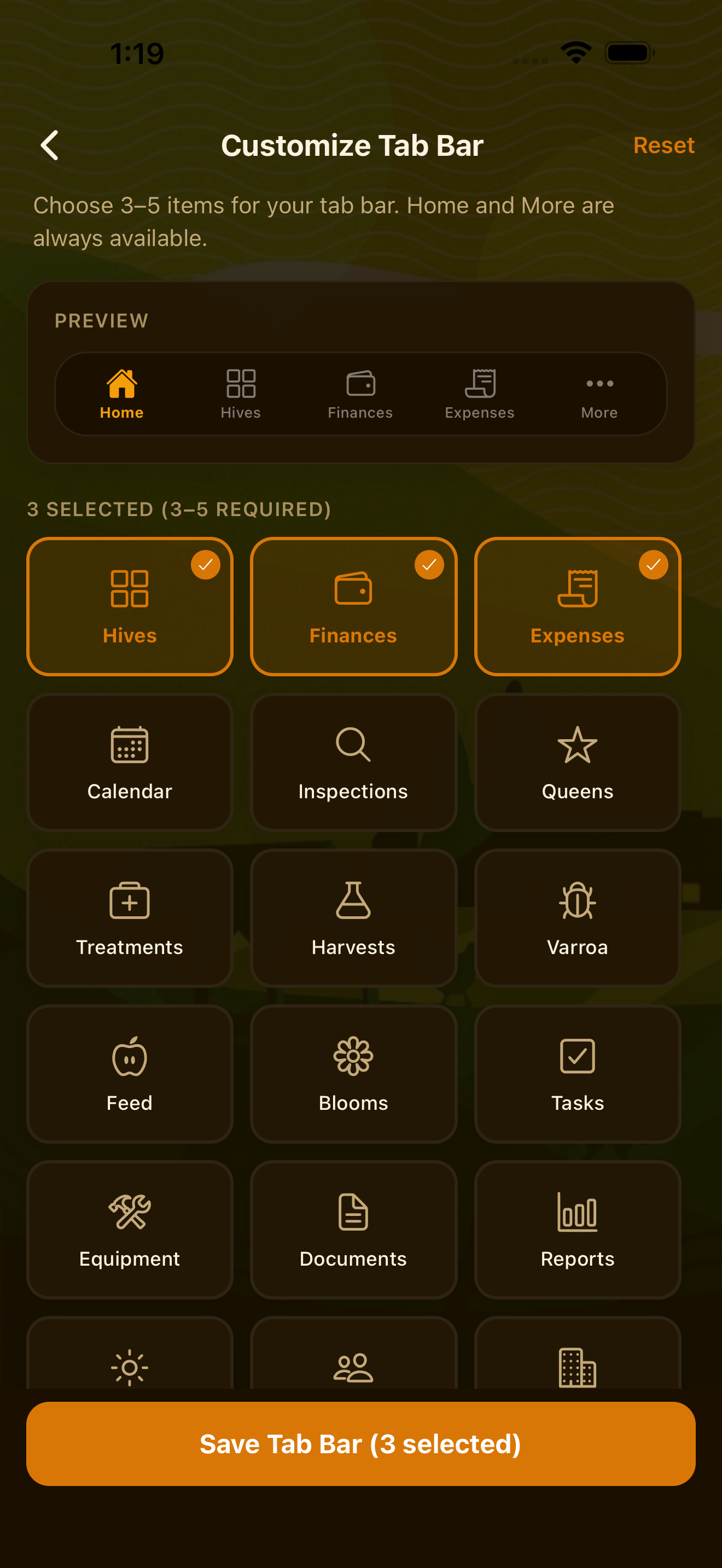
HiveBook has five tabs at the bottom of the screen:
- Dashboard — apiary overview, recent activity, and action items
- Hives — your full hive list and hive detail pages
- Finances — expense and revenue summary
- Expenses — log and review individual expenses
- More — access to all other features: inspections, treatments, harvests, AI tools, analytics, compliance, team, notifications, and settings
You can customize which tabs appear in your tab bar. Go to Settings → Customize Tabs to rearrange or swap tabs.
The More Menu
The More tab is where you access the full depth of HiveBook's features, organized into six hubs:
- AI Tools Hub — Apiary Assistant, AI Camera, Daily Briefing, Colony Health Alerts, Financial AI, AI Document Scanner (Pro/Premium)
- Hive Management Hub — Apiary Calendar, Inspections, Queen Management, Treatment Log, Treatment Library, Harvest Management, Varroa Tracking, Feed Management, Bloom Calendar, Split & Swarm Log, Apiaries, Certifications
- Operations Hub — Expenses, Revenue, Equipment, Vendors & Suppliers, Tasks
- Analytics & Forecasts Hub — Inspection Analytics, Varroa Analytics, Harvest Analytics, Queen Analytics, Treatment Analytics, Colony Survival, Tax & Deductions (Pro)
- Compliance & Reports Hub — Reports, Documents, Export Data (Pro)
- Team & Settings — Team collaboration, Notifications, Settings
The More tab also has a search bar at the top, so you can quickly jump to any feature by typing its name.
Free vs. Pro vs. Premium
HiveBook has three tiers:
- Free — up to 5 hives and 1 apiary, inspection logging, treatment records, harvest tracking, queen management, basic expense tracking, tasks, and iCloud backup
- Pro ($4.99/mo or $39.99/yr) — unlimited hives and apiaries, analytics, bloom calendar, equipment management, CSV and PDF exports, tax reports, calendar integration, compliance reports
- Premium ($9.99/mo or $79.99/yr) — everything in Pro plus all AI features: Daily Briefing, Apiary Assistant, Colony Health Alerts, Financial AI, AI Camera, AI Document Scanner, and team collaboration
All plans include a 14-day free trial. You can manage your subscription in Settings.
Start managing your apiary today
HiveBook is available on the App Store for iPhone, iPad, and Mac.
Download on the App Store